Moving from Sage 200 to Sage Intacct
A practical guide to preparing your people, processes and data for a successful move from Sage 200 to Sage Intacct.
Proud of our:
Planning your move from Sage 200 to Sage Intacct
Moving financial management solutions is a significant decision. It affects your finance team, reporting, data, business processes and the people who rely on accurate financial information.
For many growing, service-led organisations, Sage 200 has provided a dependable foundation. However, as the organisation adds entities, locations, projects, services and more complex reporting requirements, finance teams can find themselves relying on increasingly complicated processes and spreadsheets to produce the information the business needs.
Sage Intacct offers a cloud financial management solution designed to support growing and multi-entity organisations. Moving successfully, however, involves more than transferring data from one solution to another. It is an opportunity to review how finance operates and create more efficient, scalable processes for the future.
This guide explains how to prepare, what the migration process involves and how Inixion can support you throughout the move.
Is Sage Intacct the right next step?
Before beginning a migration project, it is important to establish whether Sage Intacct is the right solution for your organisation. You may be considering a move if:
- Reporting is taking longer as the organisation grows
- Consolidating multiple entities requires manual work
- Your finance team relies heavily on spreadsheets
- Month-end processes involve repeated data entry and reconciliation
- You need more timely information for management, investors or the board
- Approval processes have become difficult to manage
- Your current reporting structure no longer reflects the way the organisation operates
- Integrating finance with other business systems is becoming more important
- Adding new entities, departments or locations creates additional administration
These challenges do not automatically mean that you need to replace Sage 200. The first step should be understanding whether your current solution can continue to support your requirements and whether moving will deliver a clear operational and financial benefit.
Our complimentary Sage 200 readiness assessment can help you identify where the pressure points are and determine the most appropriate next step.
Who is the Sage 200 assessment for?
This guide is primarily for growing, service-led organisations that are using Sage 200 and need a more scalable financial management solution. That can include:
- Professional services organisations
- Construction and project-led businesses
- SaaS and software companies
- Private equity-backed groups
- Real estate businesses
- Hospitality and food service organisations
- Transport businesses
- Multi-entity and multi-location groups
Sage Intacct is particularly relevant where financial management, reporting, project visibility and consolidation are the main requirements.
If your organisation has complex manufacturing, warehousing or distribution requirements, Sage Intacct may not be the most suitable route. Inixion also specialises in Sage X3, allowing us to help determine which Sage solution is genuinely the right fit for your organisation.
Start with a Sage 200 readiness assessment
A successful migration begins with understanding your current position. Our Sage 200 readiness assessment reviews how your finance team uses its existing solution, the challenges it faces and what the organisation may require in the future. It is designed to give you a clearer view of whether you should improve your existing setup or begin planning a move to Sage Intacct. The assessment considers areas such as:
- Financial and management reporting
- Month-end processes
- Multi-entity consolidation
- Spreadsheet reliance
- Approval workflows
- Data quality
- Current integrations
- Project and departmental reporting
- Future growth plans
- Requirements from management, investors and the board
Following the assessment, we will talk you through our findings and recommend the most appropriate next steps. There is no obligation to proceed with an implementation.
What does a Sage 200 migration involve?
Every migration is different, but a well-managed project will usually include the following stages.
1. Discovery and requirements
The project begins with understanding how your organisation currently operates and what you need Sage Intacct to support. This includes reviewing:
- Legal entities and organisational structure
- Chart of accounts
- Departments, locations and reporting requirements
- Current finance processes
- Customers, suppliers and bank accounts
- Projects, contracts and revenue streams
- Approval processes
- Existing reports and management packs
- Other systems that exchange information with finance
- Current problems and future requirements
The objective is not simply to reproduce Sage 200 in a new solution. It is to understand which processes should remain, which can be simplified and where Sage Intacct can introduce a more effective way of working.
2. Solution design
Once the requirements are understood, the Sage Intacct solution can be designed around the organisation. This includes determining how entities, dimensions, permissions, workflows, reports and dashboards should be configured.
Dimensions allow transactions to be categorised and analysed by areas such as department, location, project, customer or service. Designing this structure correctly is important because it influences how information is recorded, reported and used throughout the organisation. The design stage also establishes:
- User roles and access
- Approval routes
- Reporting structures
- Entity relationships
- Intercompany processes
- Required integrations
- Data migration requirements
- Testing and training plans
Agreeing these decisions before configuration begins helps to reduce changes and delays later in the project.
3. Data review and preparation
Data quality is one of the most important parts of a successful migration. Moving to a new financial management solution presents an opportunity to review and clean up existing records rather than carry unnecessary or duplicate information into Sage Intacct. Your data review may include:
- Removing duplicate customer and supplier records
- Reviewing inactive accounts
- Checking account codes and descriptions
- Standardising naming conventions
- Correcting incomplete records
- Reviewing outstanding transactions
- Confirming opening balances
- Deciding how much historical information is required
- Mapping Sage 200 data to the new Sage Intacct structure
Inixion will work with your team to agree what needs to be transferred and how the data should be prepared.
4. Configuration and integrations
The next stage is configuring Sage Intacct in line with the agreed design. Depending on your requirements, this may include:
- General ledger
- Accounts payable
- Accounts receivable
- Cash management
- Purchasing
- Multi-entity management
- Project accounting
- Revenue management
- Approval workflows
- Dashboards and reporting
- User permissions
- Intercompany processes
We will also consider how Sage Intacct needs to connect with your other business systems. These could include:
- Customer relationship management
- Payroll
- Expenses
- Banking
- Payment platforms
- Billing and subscription systems
- Project management
- Professional services automation
- Data warehouses and reporting tools
The integration requirements should be identified early so they can be included in the project plan, configuration and testing.
5. Testing
Testing confirms that the solution, data, reports, workflows and integrations operate as expected before go-live.
Your finance team will normally be involved in user acceptance testing. This gives the people who understand the day-to-day processes an opportunity to work through realistic scenarios and confirm that the solution meets the agreed requirements. Testing may cover:
- Opening balances
- Customer and supplier records
- Sales and purchase transactions
- Approval workflows
- Bank processes
- Management reports
- Consolidation
- Intercompany transactions
- User access and permissions
- Integrations
- Month-end activities
Any issues identified during testing can then be addressed before the final migration.
6. Training and preparing your team
A new financial management solution changes more than the screens people use. It may introduce new workflows, reporting structures, responsibilities and ways of accessing information. Training should therefore be planned around the different roles within your organisation.
Finance users may require detailed process training, while approvers, managers and reporting users may need shorter, role-specific sessions.
Our Sage Intacct consultants include people who have previously worked in senior finance roles. They understand the practical pressures involved in adopting a new solution and can explain Sage Intacct in the context of real finance processes.
Training before go-live helps users become familiar with the solution, while follow-up sessions can reinforce learning once they have begun using it in their day-to-day roles.
7. Final migration and go-live
Once testing and training are complete, the final data can be transferred and Sage Intacct can go live. A detailed cutover plan should confirm:
- When processing will stop in Sage 200
- When final data will be extracted
- Who will validate balances
- When Sage Intacct becomes the live finance solution
- How urgent issues will be handled
- What support will be available to users
- Whether any temporary parallel activities are required
The timing should take account of month end, year end, audits, reporting deadlines and the availability of key members of the finance team.
What data can be moved from Sage 200?
The data transferred will depend on your requirements, the quality of your existing data and how much history needs to remain available in Sage Intacct. A migration may include:
- Chart of accounts
- Customer records
- Supplier records
- Bank accounts
- Opening balances
- Outstanding sales invoices
- Outstanding purchase invoices
- Fixed asset information
- Project and contract information
- Reporting categories
- Selected historical transactions
Moving every transaction from Sage 200 is not always necessary or beneficial. Some organisations transfer opening balances and outstanding transactions while retaining secure access to their old system for historical enquiries.
Others require more detailed history in Sage Intacct for reporting, comparison, audit or operational reasons. Inixion will help you evaluate the available options and agree an approach that balances accessibility, effort, cost and reporting requirements.
How long does it take to move from Sage 200 to Sage Intacct?
There is no single implementation timeframe that applies to every organisation. The length of the project will be influenced by:
- The number of legal entities
- The modules being implemented
- The complexity of your finance processes
- The volume and quality of your data
- The number of integrations
- Your reporting requirements
- The availability of your internal project team
- The amount of process redesign required
- Testing and training requirements
- The preferred go-live date
A focused implementation for one entity with straightforward requirements will usually be quicker than a multi-entity project involving complex reporting, several integrations and extensive historical data. Following discovery, Inixion will provide a project plan based on your particular requirements rather than offering a generic timeframe.
Who needs to be involved?
Although finance will lead the project, a successful migration often requires input from different parts of the organisation. Your internal project team may include:
Finance lead
The finance director, financial controller or finance manager will normally own the business requirements and ensure the solution supports the organisation’s reporting and control needs.
Finance users
The people completing day-to-day processes can provide valuable detail about how work is currently completed, where delays occur and what needs to improve.
IT or technology lead
Your IT team may need to support security, integrations, data extraction, user access and the wider technology strategy.
Operational stakeholders
Project managers, department heads, approvers and other reporting users should be involved where the change affects their processes or access to information.
Executive sponsor
A senior sponsor can help maintain momentum, resolve decisions and make sure the project remains aligned with the organisation’s wider objectives.
Inixion project team
Our Sage Intacct consultants will guide the project through discovery, design, configuration, data migration, testing, training and go-live. Clear ownership and timely decision-making can make a significant difference to the pace and success of the implementation.
How much does it cost to move to Sage Intacct?
The cost of moving from Sage 200 to Sage Intacct will depend on the size and complexity of your project. The main cost areas are likely to include:
- Sage Intacct software subscription
- Implementation and configuration
- Data migration
- Integrations
- Additional modules
- User training
- Ongoing support
The number of users is only one part of the cost. The number of entities, required functionality, reporting requirements, data volumes and integrations can all influence the overall investment.
During discovery, we will establish what your organisation genuinely requires and provide a clear proposal based on the agreed scope.
For more information, read our Sage Intacct pricing guide.
Supporting your team after go-live
Go-live is an important milestone, but it is not the end of the relationship. As your team becomes more familiar with Sage Intacct, you may identify further opportunities to improve reporting, automate tasks or expand the solution. Inixion can provide ongoing support with:
- User questions and technical issues
- Additional reports and dashboards
- New entities and users
- Workflow improvements
- Further automation
- New integrations
- Refresher and advanced training
- Reviews of how the solution is being used
Our objective is to help your organisation continue gaining value from Sage Intacct as your requirements evolve.
Why move with Inixion?
The quality of the implementation partner is just as important as the financial management solution you select.
Inixion has worked within the Sage ecosystem since 2006 and has maintained a 100% project success record. Our UK team combines Sage knowledge with practical finance and business experience.
Several of our consultants have previously used or managed business systems from the customer’s side. That experience helps us understand the operational pressures, internal decisions and change management involved in a migration.
We take the time to understand how your organisation works and what needs to improve. We then design and implement a solution based on those requirements, supported by structured project management, testing, training and ongoing support.

Ready to explore moving from Sage 200?
You do not need to have every requirement documented before speaking to us.
Whether you are beginning to question Sage 200, actively comparing solutions or preparing for a migration, our team can help you understand the options and identify the most sensible next step.
Start with our complimentary Sage 200 readiness assessment or speak to our UK Sage Intacct team about your requirements.
Further reading on Sage 200 and Sage Intacct
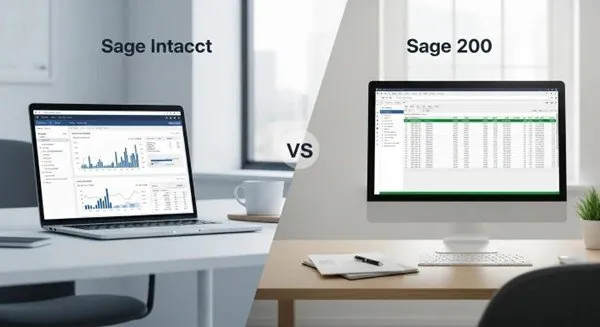

Explore Sage Intacct and industry articles




FAQs for finance leaders