A Pine Services Group Company.

Inixion
Move from QuickBooks to Intacct hub2026-07-14T08:00:38+00:00

Welcome to the QuickBooks hub – discover how to move to Sage Intacct

A finance leader’s starting point for moving beyond QuickBooks to cloud financials with Sage Intacct.

Proud of our:

  • 100% Project Success Record

  • 84% Customer Net Promoter Score (NPS)

  • Sage Ecosystem for 20 years

  • Zero Attrition in our Technical Team

  • Part of Pine Services Group, Sage’s largest global partner

Challenges growing businesses experience with QuickBooks

QuickBooks is a great place to start. As your business scales, the cracks often show, more spreadsheets to plug gaps, manual consolidations, limited multi-entity support, and reports that take days not minutes. This hub gives you clear guidance to plan a confident move to Sage Intacct, with checklists, demos, and practical steps to shorten close, improve accuracy, and give leaders one version of the truth. Common challenges include:

  • Manual Consolidations slow month end and increase error risk

  • Limited Multi-Entity, Currency, and Intercompany handling creates workarounds

  • Spreadsheet-Heavy Reporting hides issues and delays decisions

  • Basic Approvals and Audit Trails make controls harder to enforce

  • Integrations are Patchy, leading to duplicate entry across tools

  • Restricted Dimensional Analysis limits views by project, department, customer, or region

How Sage Intacct moves you forward, beyond the limitations of QuickBooks

Sage Intacct is a cloud-native financial platform built for growing organisations that need accurate, timely reporting across entities and teams without adding headcount. Intacct replaces spreadsheet work with dimensions, automation, and integrations, so finance can focus on analysis and planning. It is a strong fit for services-led, multi-entity, and PE-backed organisations, as well as SaaS, construction, not for profit, real estate, and other project-driven businesses. Sage Intacct supports finance teams with:

  • Real-time dashboards with drill down from KPI to transaction

  • Dimensional accounting, tag once and report by project, department, entity, or customer

  • Native multi-entity consolidation with eliminations and currency handling

  • AP automation from capture to approve to post to pay

  • Close checklists, recurring entries, and allocations that cut days from month end

  • Strong controls with approvals, permissions, and audit trails

  • Open integrations for CRM, billing, expenses, and banks without heavy custom work

  • Flexible planning and reporting to support board packs, investor updates, and scenario analysis

Insights, tools, and guidance on Sage Intacct

Explore resources, insights, and tools tailored for finance leaders navigating change and driving performance.

Warehouse depicting Sage X3 distribution ERP premises

Construction Businesses

Managing projects, cost codes and cash flow? Get Sage Intacct for construction.

Warehouse depicting Sage X3 distribution ERP premises

Food Services Businesses

Feeling the pain of high volume and tight margins? Serve up smarter financials with Sage Intacct.

Warehouse depicting Sage X3 distribution ERP premises

Private Equity Backed

Built for ambitious, investor-led growth businesses. Gain financial clarity with Sage Intacct.

Warehouse depicting Sage X3 distribution ERP premises

Professional Services

Help your performance-driven business grow and scale with with Sage Intacct.

Warehouse depicting Sage X3 distribution ERP premises

SaaS & Software Businesses

Automate billing complexity, track metrics and revenue recognition. Get Sage Intacct today.

Warehouse depicting Sage X3 distribution ERP premises

Transport Businesses

Managing fleets, fuel, and fast-moving costs? It’s time to modernise with Sage Intacct.

Guides for finance leaders

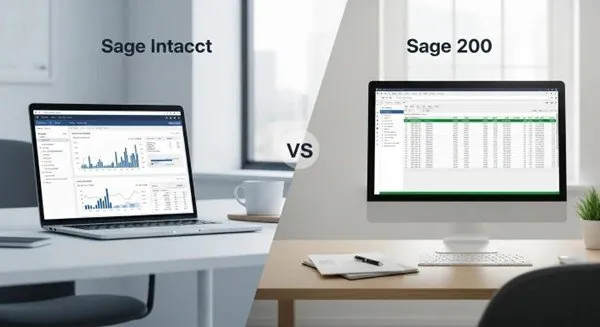
quickbooks vs sage intacct

Guide to moving from QuickBooks to Intacct

move from sage 200 to intacct

Move from Sage 200 to Intacct guide

Outgrown Sage 50 - step up to Sage Intacct guide

Sage 50 vs Sage Intacct checklist & guide

Sage Intacct Product Guide

Sage Intacct product guide with real-world case studies

Further reading

Explore Sage Intacct and industry articles

FAQs for finance leaders

What support options should businesses expect from accounting software providers?2026-06-04T07:18:45+00:00

Look for multiple support channels, phone, email, plus helpful online resources like tutorials and forums. Onboarding help or a dedicated account manager is valuable for smoothing the initial setup and getting the most from the tool.

How can businesses measure the return on investment (ROI) of accounting software?2026-06-04T07:24:07+00:00

Measure ROI by tracking time saved, reductions in errors, and lower bookkeeping costs. Include less tangible benefits like faster decisions and improved cash flow forecasting. Regularly review these metrics to see if the software delivers expected value.

How can businesses ensure data security when using cloud accounting software?2026-06-04T07:25:23+00:00

Choose providers that use strong security: encryption, two-factor authentication, and regular third-party audits. Review privacy policies and compliance with regulations like GDPR. Also, train staff on secure password practices and role-based access to limit exposure.

What should small businesses consider when choosing accounting software?2026-06-04T07:26:19+00:00

Focus on ease of use, scalability, and the features you need day-to-day. Check pricing tiers, integration options, and available support so the product fits your budget and workflow. A short trial period can help confirm if a tool feels right for your team.

How does Sage Intacct enhance financial visibility for organisations?2026-01-14T08:05:23+00:00

Sage Intacct delivers consolidated, real-time reports across entities and currencies so teams see current performance at a glance. That visibility enables faster, more confident decisions and frees finance to focus on strategy rather than manual reporting.

What are the costs associated with migrating to Sage Intacct?2026-01-14T08:04:41+00:00

Migration costs vary by company size, system complexity, and customisation needs. Expect subscription fees, implementation services, and training as primary costs. Many organisations find that the efficiency and automation gains deliver a strong return on investment over time.

How does Sage Intacct support compliance with financial regulations?2026-01-14T08:04:04+00:00

Sage Intacct includes controls and audit trails that support regulatory compliance. Automated processes reduce manual errors, while reporting capabilities make it easier to produce statements that align with standards such as GAAP and IFRS. These features simplify audits and strengthen governance.

What types of businesses benefit most from Sage Intacct?2026-01-14T08:03:32+00:00

Sage Intacct fits medium to large organisations—especially service-led or project-led businesses like professional services, healthcare, construction, legal and financial services. These sectors benefit from Intacct’s multi-entity, multi-currency, automation, and reporting features, which help finance teams scale and stay responsive to changing needs.

Can Sage Intacct integrate with my other business systems?2026-07-28T13:55:13+00:00

Absolutely, Sage Intacct boasts powerful integration capabilities with a wide array of business systems, including CRM, payroll, and inventory management software. Sage Intacct offers integration to many systems with open APIs for custom connections to tools like Harvest (time tracking), HubSpot (CRM), or your PSA (Professional Services Automation) software.

This seamless integration ensures effortless data flow between systems, drastically reducing manual data entry and significantly boosting overall operational efficiency. By connecting Sage Intacct with your other critical platforms, your business gains a unified, holistic view of its financial and operational data, thereby enhancing decision-making and operational effectiveness across every department.

What does cloud-native mean?2025-07-31T16:24:21+00:00

Cloud-native means the solution is purpose-built for the cloud, not simply hosted there. It gives you secure, browser-based access to your data anytime, anywhere, from any internet-connected device. By eliminating the need to manage on-premises infrastructure, it also frees up time and resources to focus on strategic priorities.

Does Sage Intacct integrate with other systems?2025-12-03T15:34:12+00:00

Sage Intacct seamlessly integrates with many other business systems and provides a robust platform for further integration options.

Go to Top