A Pine Services Group Company.

Inixion
Sage X3 price2026-09-23T15:09:38+00:00

Sage X3 pricing in the UK

Helping your business budget for a new ERP investment.

Proud of our:

  • 100% Project Success Record

  • 84% Customer Net Promoter Score (NPS)

  • Sage Ecosystem for 20 years

  • Zero Attrition in our Technical Team

  • Part of Pine Services Group, Sage’s largest global partner

How much does Sage X3 cost?

Sage X3 does not have a single, standard price. The cost depends on factors including the number and type of users, modules required, deployment model and the complexity of your implementation.

For most businesses, the overall investment will include software licensing, implementation and ongoing support. Below, we break down these costs and provide indicative examples to help you understand what you might expect to pay.

Are Sage X3 cost calculators accurate?

You may come across ERP or Sage X3 cost calculators online, but they can only provide a rough indication. There are simply too many variables involved to accurately calculate what Sage X3 will cost for your business.

For a meaningful figure, your requirements need to be understood first – including your users, sites, processes, integrations and the functionality you need. That’s where a conversation with an experienced Sage X3 partner, like Inixion, comes in.

Sage X3 licensing costs

Sage X3 pricing is based on an annual subscription model, with licensing built around the functionality your business needs and the number of users accessing the system.

The three core Sage X3 platforms

Sage X3 has three core platforms:

  • Finance – financial management, accounting and reporting.
  • Distribution – finance plus purchasing, sales, inventory and distribution capabilities.
  • Manufacturing – finance and distribution functionality plus manufacturing and production management.

The platform you need is one of the key factors determining your base licence cost.

Beyond the core platform, your Sage X3 licensing costs will depend on the number and type of users requiring access and any additional modules or functionality your business needs.

There isn’t therefore a standard Sage X3 licence price that applies to every business. Your licensing is configured around the way your organisation needs to use Sage X3.
Finance icon - dollar sign with graph
Distribution icon - truck with sites
Manufacturing icon - factory

What affects the overall Sage X3 cost?

The overall cost of Sage X3 is shaped by four key areas: the core platform you choose, the users who need access, any complementary modules required, and the implementation and support services your business needs.

Which platform do you need? Sage has specific modules for Financials, Distribution or Manufacturing. These modules are cumulative meaning that the Distribution module includes Finance and the Manufacturing module includes both Distribution and Finance modules. However, just the Finance module can be licensed and implemented.
How many users will you have on your Sage X3 platform and in what role? Sage X3 offers concurrent user licensing defined by user role. This logic automatically delivers functional security access and restrictions by role, thereby simplifying the user setups and maintenance. Roles that require less functionality are also cheaper, too.

Another factor that could affect the overall cost of a Sage X3 system is the addition of any complementary modules and/or add-ons. Such optional ‘modules’ deliver advanced capabilities like Inixion’s extension and enhancement modules: EDI, Document Management, Business Intelligence, Human Resources Management, Automated Exchange Rate and Electronic Data Interchange modules.

Lastly, you need to factor in services for configuration, training and go-live support for your Sage X3 investment. Inixion’s services are individually scoped for each project and are dependent on requirements and internal IT resources to name a few.

How does deployment affect Sage X3 costs?

Sage X3 provides great flexibility, as it can be deployed in the cloud or on-premises; whatever works best for your business. We will work with you to determine which deployment option is right for you.

Cloud

More and more systems are being deployed away from where they are ultimately used. ‘Cloud’ deployment is increasingly popular with many hosting providers offering many options – the choice, specification and mix of those options are all important considerations when balancing accessibility, performance and ultimately cost.

On-premises

Some customers require their business systems to be located where they have full control over the hardware and data, access to it and its operation. Sage X3 provides for this choice; the specification of the required hardware is an important factor of any deployment and with our many years of experience behind us, we can advise on good and bad practices and choices for hardware specification.

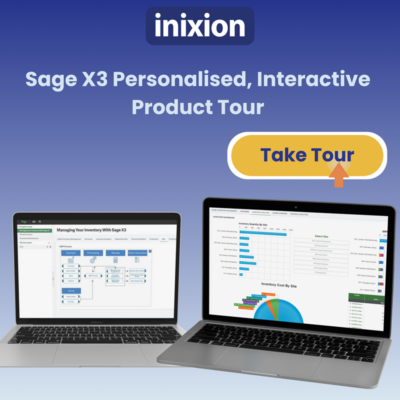
Take a personalised, interactive Sage X3 product tour, in your own time

See Sage X3 in action. Explore purchasing, inventory, production, quality, sales and finance in our interactive Sage X3 product tour.

Sage X3 interactive product tour image - ingredient manufacturing

What affects Sage X3 implementation costs?

The cost of implementing Sage X3 depends on the scope and complexity of the project. A straightforward implementation for a single-site business will require a different level of investment from a multi-company or international rollout.

The main factors that influence implementation costs include:

  • Data migration – the volume, quality and complexity of the data being transferred from existing systems.
  • Configuration – how much Sage X3 needs to be configured around your business processes and operational requirements.
  • Integrations – connections required with other business systems, applications, eCommerce platforms or specialist software.
  • Manufacturing complexity – requirements such as production planning, bills of materials, recipes, quality control, traceability and shop-floor processes.
  • Multi-site and multi-company requirements – additional complexity where Sage X3 needs to support multiple sites, legal entities, currencies or countries.
  • Training and change management – the number of users and the level of training and support required to prepare your teams for the new system.

The platform you need is one of the key factors determining your base licence cost.

Beyond the core platform, your Sage X3 licensing costs will depend on the number and type of users requiring access and any additional modules or functionality your business needs.

There isn’t therefore a standard Sage X3 licence price that applies to every business. Your licensing is configured around the way your organisation needs to use Sage X3.

A typical Sage X3 implementation takes around 6–12 months, although the timescale will depend on the scope and complexity of the project. Multi-site or highly complex implementations may take longer, while more straightforward projects can be delivered more quickly.

The best way to establish both the likely implementation cost and timescale is to properly scope your requirements before the project begins.
Sage X3 in 30 Webinar

From operational blind spots to better business decisions

28 October – 4pm (GMT) / 9am (PT) / 12pm (ET)

Discover a better way to manage your business with Sage X3

Watch a short Sage X3 video to see how the ERP system will benefit your business.

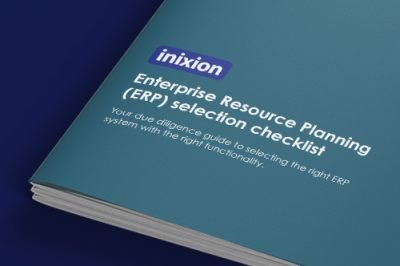
ERP selection checklist guide - teal

ERP selection checklist guide

Due diligence guide to selecting the right ERP system.

What affects Sage X3 support costs?

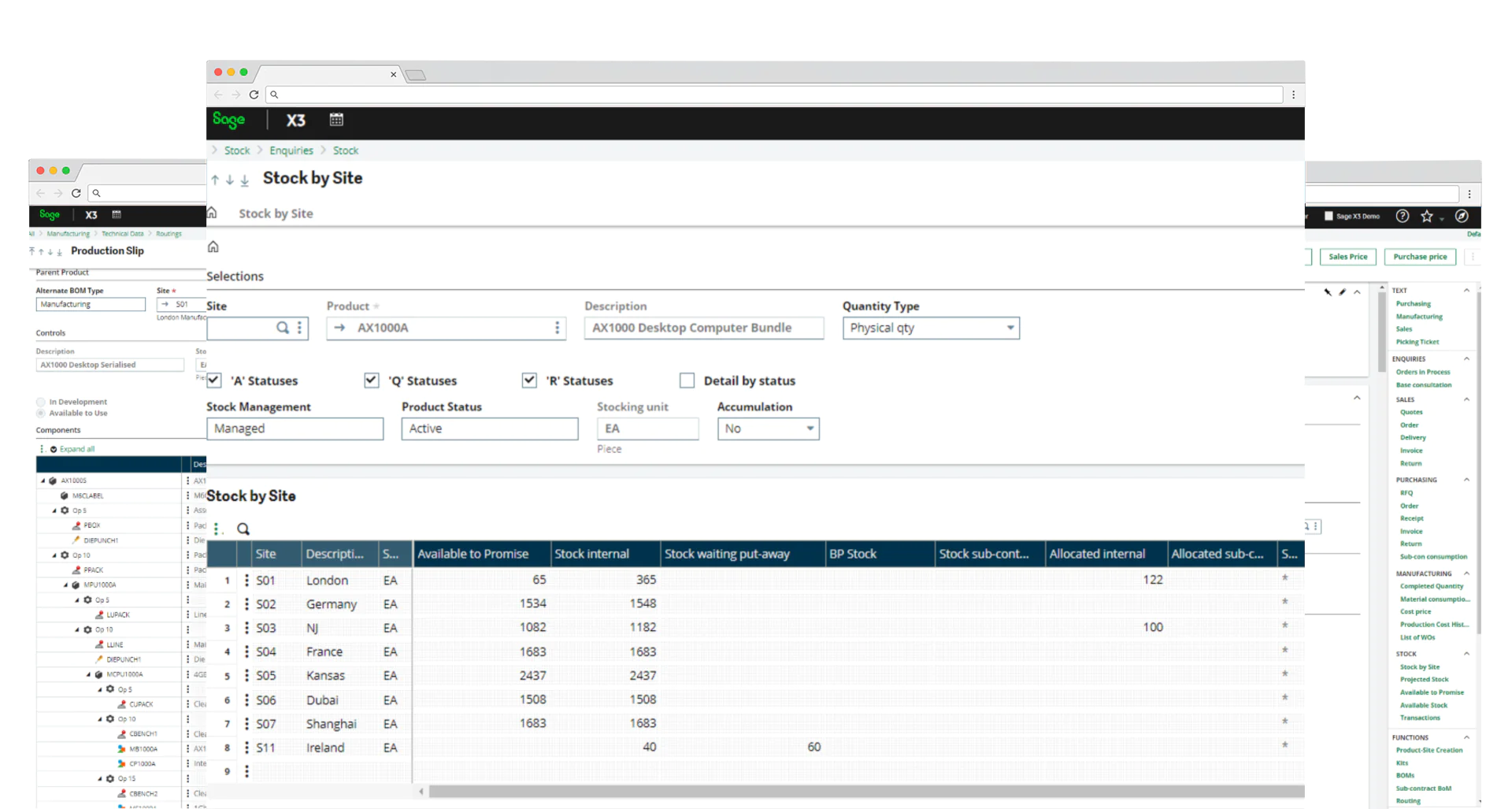
Sage X3 screenshots - stock by file screen

Once we have implemented Sage X3, our Inixion support team is ready to support you and help resolve any issues. We support businesses in the UK and North America (USA & Canada), from our base, here in the UK. Support costs are priced differently depending on if you’re in the UK or USA. That’s why it’s vital to speak to a human being, not a cost calculator to get accurate Sage X3 prices.

Curious to learn more?

If you would like to learn more about Sage X3 and how it will benefit your business, request a call back.

FAQs

What is Sage X3?2026-07-28T13:23:53+00:00

Sage X3 is an Enterprise Resource Planning (ERP) system designed for medium to large businesses. It allows you to take control of your entire business, from supply chain and sales through to aftermarket, while providing you with a faster, more intuitive and tailored business management solution.

Access our Sage X3 capabilities guide for more information.

How is Sage X3 licensed?2026-07-28T13:05:36+00:00

Sage X3 is highly configurable and flexible. Whether you deploy the system on-premises or in the cloud, Sage X3 licensing is subscription pricing based—no more capital expenditure and reducing your ROI timeline.

Can you use Microsoft Excel with Sage X3?2025-02-18T16:30:29+00:00

Yes. Sage X3 offers an easy way to integrate with familiar applications like Microsoft Excel. Find out more about Sage X3 ERP

What’s the difference between Sage X3 and general accounting software?2024-07-31T10:02:36+00:00

Accounting software only handles accounting, whereas Sage X3 is an enterprise-wide ERP that handles every business function, including accounting, finance, inventory management, manufacturing management, sales and logistics.

What type of company does Sage X3 support?2024-07-31T10:02:34+00:00

Sage X3 is designed for medium to large businesses. It’s particularly suited to manufacturing, distribution, wholesale, chemicals, pharmaceuticals, food/drink and services businesses.

It’s also popular for businesses that have outgrown their current accounting software or spreadsheets and/or need to replace multiple non-integrated applications. Additionally, Sage X3 is designed to handle multiple currencies, languages, countries, legislations and subsidiaries.

See our industries page to find out more.

What are the core functional areas Sage X3 supports?2024-07-31T10:02:28+00:00

Sage X3 supports accounting and finance, reporting, purchasing and operations, inventory and distribution, manufacturing and sales and customer management.

What are some of the key benefits of using Sage X3?2024-10-11T15:30:12+00:00

Businesses that adopt Sage X3 see measurable benefits, including:

  • Targeted business growth via streamlined operations.
  • Improved customer retention and satisfaction via quicker response times and instant access to customer information.
  • Operational efficiency via eliminating redundant and manual data entry errors with integrated core functionality.
  • Closer relationships with stakeholders, including customers, vendors, and employees, via better supply chain management.

In addition to these overarching benefits, Sage X3 offers a comprehensive suite of features that provide robust support across various business functions:

  • Take control of your entire business, from supply chain to sales, ensuring all processes are seamlessly integrated.
  • Improve business efficiency by automating tasks and reducing manual data entry, thus minimising errors and saving time.
  • Have a flexible ERP solution that scales with your business, adapting to changing needs and growth.
  • See your current financial position at any time with real-time data access, enabling informed decision-making.
  • Access all financial transactions from one database, streamlining financial management and reporting.
  • Consolidate accounting for multiple countries and locations, simplifying complex multi-national operations.
  • Manage complex business processes such as process and discrete manufacturing, ensuring smooth operations across diverse production methods.
  • Improve quality control in your production process, maintaining high standards and consistency.
  • Access real-time financial data via a web browser, providing accessibility and security wherever you are.
  • Gain valuable insights using management dashboards and reports, allowing for data-driven strategies and performance tracking.
  • Enable staff (users) to collaborate more effectively, fostering a collaborative work environment with easy access to shared information.
  • Be tax compliant in different countries, ensuring adherence to local regulations and reducing the risk of penalties.

By integrating these detailed functionalities, Sage X3 not only supports targeted business growth and operational efficiency but also enhances the overall management and strategic capabilities of an organisation, making it a powerful tool for any business looking to scale and streamline operations.

How is Sage X3 deployed?2024-07-31T10:02:16+00:00

Depending on your preference, Sage X3 can be deployed in the cloud, on-premises or as a hosted solution. However deployed, access is through a standard (HTML 5 compatible – such as Chrome, Firefox, Edge, Safari etc.) Internet browser.

What modules are available in Sage X3?2024-07-31T10:02:13+00:00

There are three core platforms: Finance, Manufacturing and Distribution. Download our Sage X3 capabilities guide which tells you everything you need to know about Sage X3 including full functionality.

Does Inixion also work in the USA/Canada?2025-02-18T16:32:31+00:00

We are a fully accredited Sage North America partner and experts in international implementations of Sage X3. Many of our customers are in North America and are supported by our team in the UK. Moreover, we proudly assist many of our customers with their global subsidiaries, providing comprehensive support every step of the way.

Meet the team of Sage X3 consultants and professionals

What are the features and modules of Sage X3?2024-10-11T15:32:19+00:00

Sage X3 boasts a range of robust features and modules that cater to various aspects of business management and operations. Here is an overview of these key functionalities:

  1. Core financials module:At the heart of Sage X3 lies its core financials module, which acts as a central hub for all other modules. It enables accurate and real-time global visibility, accommodating local operational requirements. This includes features such as:
  • Budgets and accounting
  • Fixed assets management
  • Financial reporting
  1. Production management:Sage X3 streamlines manufacturing processes by offering comprehensive production management tools. It simplifies BOM (Bill of Materials) planning, facilitates shop floor data capture, ensures quality control, and aids in project management. These features enable businesses to bring products to market swiftly and efficiently, including:
  • BOM planning
  • Shop floor data capture
  • Quality control
  • Project management
  1. Supply chain management:To effectively manage inventory and meet demand, Sage X3 provides real-time monitoring of inventory status. This module encompasses essential features like purchasing, inventory management, sales management, and customer service. By optimising efficiency and improving inventory control, businesses can enhance their overall supply chain management. Key functionalities include:
  • Purchasing
  • Inventory management
  • Sales management
  • Customer service
  1. Reporting and dashboards:For data-driven decision-making, Sage X3 includes robust reporting and dashboard features through Sage Enterprise Intelligence (SEI). This enables businesses to track key performance indicators, generate detailed reports, and visualise data through intuitive dashboards. Such insights provide a comprehensive overview of business operations, facilitating informed decision-making processes.
  2. Global management:Sage X3 caters to businesses operating globally by offering features specifically designed to manage multi-country operations. These functionalities embrace multi-legislation and languages, ensuring compliance across international boundaries. This “multi-everything” enables smoother operations for organisations with a global footprint.

Additional functionality and modules: Sage X3 encompasses an extensive range of features and modules, ensuring comprehensive support for various business needs:

  • Reporting and dashboards
  • Global management, multi-legislation, multi-currency and languages
  • Manufacturing management

In summary, Sage X3 encompasses an extensive range of features and modules, including core financials, production management, supply chain management, reporting and dashboards, global management, and manufacturing management. These functionalities cater to different facets of business management, enabling organisations to streamline operations, improve efficiency, and make informed decisions.

Go to Top